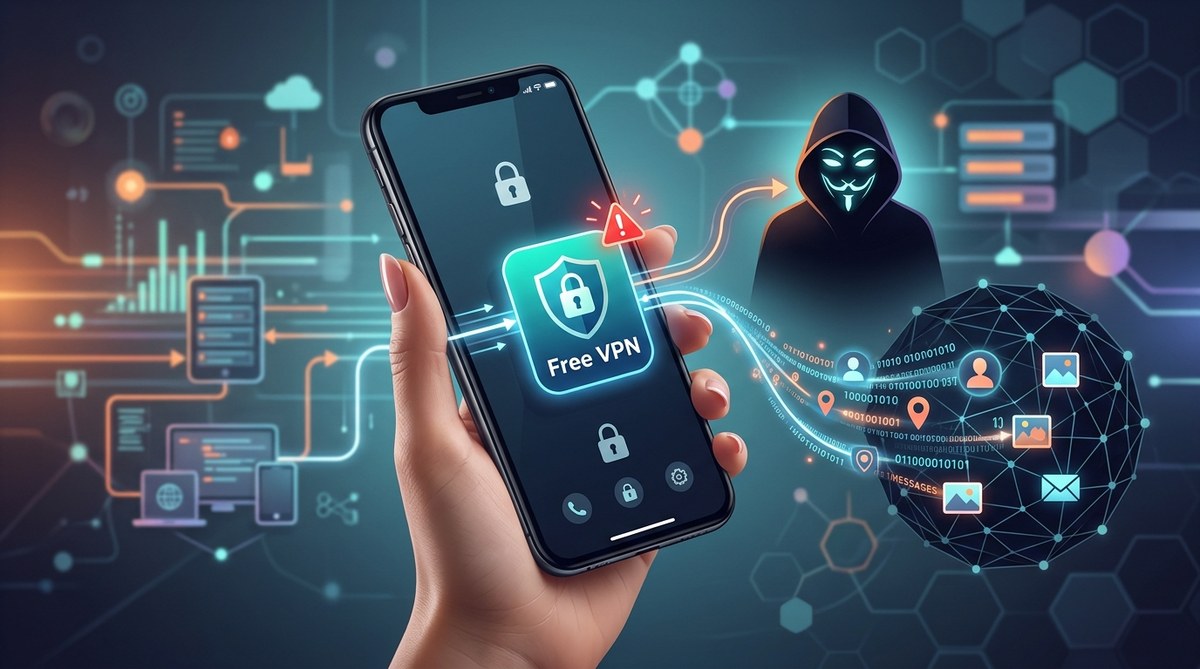
You found a free VPN in the app store. It promises total privacy, anonymous browsing, and access to blocked content. The price tag says zero dollars. That feels like a win, especially when every subscription service seems to cost money these days. But here is the uncomfortable truth about the free VPN data selling trap: if you are not paying for the product, your data becomes the product. Many free VPN apps are not in the business of protecting you. They are in the business of collecting your browsing history, your location data, and your personal habits, then packaging them up for whoever pays the most. Before you tap that download button, you need to know exactly what you are inviting onto your phone.
A free VPN is rarely truly free. Most free VPN apps make money by selling your browsing data, injecting ads into your traffic, or bundling spyware into the installation. You can spot a dangerous app by checking its privacy policy for data collection clauses, reviewing app permissions, testing for DNS leaks, and watching for sudden performance drops. A trustworthy VPN will have a clear, audited no-logs policy and a paid subscription model. Your privacy is worth protecting with a service that does not treat your data as inventory.
Why Free VPNs Are Not a Bargain
Think about how app development works. A team of engineers spends months building a VPN app. They pay for server infrastructure around the world. They handle customer support. None of this is cheap. So how does a free app cover those costs?
The answer is usually you.
Many free VPNs use a business model called data monetization. They capture your internet traffic, strip away identifying markers, and sell the anonymized data to advertisers, data brokers, or marketing firms. Some apps go further by injecting their own ads into websites you visit. Others sell your unused bandwidth to third party services, turning your phone into a node on a network you know nothing about.
A 2024 study from Common Sense Media and the University of Toronto found that many free Android VPN apps contained tracking code from major advertising firms. The apps were not just failing to protect privacy. They were actively undermining it.
The Red Flags of a Data Selling VPN Trap
You do not need to be a cybersecurity expert to spot a bad VPN. You just need to know where to look. Here are the biggest warning signs that your free VPN is actually a data selling trap.
1. The Privacy Policy Is Vague or Missing
A real VPN provider will have a clear, readable privacy policy. It will tell you exactly what data they collect and what they do with it. If the policy uses phrases like “we may share data with trusted partners” or “we collect anonymized usage statistics to improve service,” that is a red flag.
Look for a specific statement about logging. The best VPNs have a “no-logs” policy. This means they do not record your browsing history, IP address, or connection timestamps. If a free VPN claims a no-logs policy but does not have independent audits to back it up, be skeptical.
2. The App Asks for Too Many Permissions
When you install a VPN app on your phone, it needs permission to create a virtual network interface. That is normal. But some apps ask for access to your contacts, your camera, your microphone, or your location data. That is not normal.
Check your phone’s permission settings after installing the app. On an iPhone, go to Settings > Privacy > VPN. On Android, go to Settings > Apps > [VPN Name] > Permissions. If the app has access to things it does not need, uninstall it immediately.
3. Your Internet Feels Slower Than Usual
All VPNs will slow your connection slightly because they encrypt and reroute your traffic. But a free VPN that is selling your data often has a more noticeable impact. Why? Because the app is busy running background processes.
Some free VPNs use your device as an exit node for other users’ traffic. This means your phone could be hosting downloads or streaming sessions for strangers. Your battery drains faster, your data cap gets eaten up, and your connection becomes sluggish. If you notice your phone getting hot or your internet slowing to a crawl, something is wrong.
4. You See Unexpected Ads
A legitimate VPN blocks ads. A malicious VPN creates them. If you start seeing pop up ads in your browser after installing a free VPN, or if websites look different with strange banner ads, the VPN is likely injecting those ads into your traffic. This practice is called ad injection, and it is a major privacy violation.
5. The App Has a Bad Reputation
Before downloading any VPN, search for it online. Look for reviews from trusted tech publications. Check the app store ratings, but read the negative reviews carefully. Users often report strange behavior in the comments. Look for phrases like “phone got slower,” “battery drain,” or “weird ads.”
You can also check the developer’s name. If the same developer has published multiple free VPN apps with different names, that is a sign of a data harvesting operation. Some developers create dozens of VPN apps to collect data from different user bases.
How to Run a Safety Check on Your VPN
You can test your VPN yourself. Here is a simple process to see if your free VPN is leaking your data.
-
Check for DNS leaks. A DNS leak happens when your device bypasses the VPN and sends your browsing requests through your regular internet connection. Visit a DNS leak test website like dnsleaktest.com. If the test shows your real ISP’s DNS server instead of the VPN’s, your data is exposed.
-
Review the app permissions. Go to your phone’s settings and look at the permissions granted to the VPN app. Revoke any that seem unnecessary.
-
Search for the company behind the app. Look up the developer’s name and the VPN’s name. See if they have been mentioned in news articles about data breaches or privacy violations.
-
Check for WebRTC leaks. WebRTC is a technology used by many websites for video and audio. It can bypass your VPN. Use a WebRTC leak test website to see if your real IP address is visible.
-
Monitor your data usage. Check your phone’s data usage before and after installing the VPN. If the VPN is using a lot of data in the background, something is wrong.
Table: Free VPN vs. Paid VPN
| Feature | Free VPN (Data Seller) | Trusted Paid VPN |
|---|---|---|
| Business model | Sells user data, injects ads | Subscription fees from users |
| Privacy policy | Vague or missing | Clear, audited no-logs policy |
| Server infrastructure | Limited servers, often overloaded | Thousands of servers worldwide |
| Connection speed | Slow, throttled | Fast, unlimited bandwidth |
| Ad blocking | Injects ads into traffic | Blocks ads and trackers |
| Customer support | None or automated chat | 24/7 live support |
| Security protocols | Outdated or weak encryption | Strong, modern encryption (WireGuard, OpenVPN) |
What to Do If You Think Your VPN Is Selling Your Data
If you suspect your free VPN is a data selling trap, act now.
-
Uninstall the app immediately. Do not just disable it. Remove it from your phone completely.
-
Clear your browser data. Go into your browser settings and clear your cache, cookies, and browsing history. This removes any trackers the VPN may have left behind.
-
Change your passwords. If you used the VPN while logged into any accounts, change those passwords. Use a strong, unique password for each account. Consider using a password manager. We have a guide on are password managers actually safe, or are we just trusting tech bros with everything that can help you choose one.
-
Run a security scan. Use a trusted security app to scan your phone for malware or unwanted software.
-
Reset your advertising ID. On your phone, find the option to reset your advertising identifier. This tells advertisers that you are a new user and stops them from using the profile the VPN helped build.
“The most expensive VPN is the one that costs you your privacy. A free VPN that sells your data is not a tool for privacy. It is a surveillance device you installed yourself.” This is a common warning from digital security researchers who study the free VPN data selling trap.
The One Thing You Should Never Do
Do not use a free VPN for anything sensitive. Do not use it for online banking. Do not use it for logging into your work email. Do not use it for shopping with your credit card. If a free VPN is logging your traffic, everything you do while connected is being recorded. That includes your passwords, your financial information, and your private messages.
If you need a VPN for privacy reasons, pay for one. A paid VPN from a reputable provider costs less than a streaming subscription. Services like Mullvad, ProtonVPN, and IVPN have strong privacy records and transparent business models. They do not sell your data because they do not need to. Your subscription fee covers their costs.
How Data Sellers Use What They Collect
You might wonder what happens to your data after a free VPN collects it. The answer is not pretty.
Data brokers buy this information in bulk. They combine it with other data points to build a detailed profile of you. This profile includes your browsing habits, your location history, your shopping preferences, and even your political leanings. That profile is then sold to advertisers, insurance companies, employers, and sometimes government agencies.
Your data from a free VPN can be used to:
- Target you with personalized ads
- Adjust your insurance premiums based on your online behavior
- Influence your voting decisions with tailored political ads
- Sell you products you do not need
This is not speculation. These practices are well documented. The free VPN data selling trap is a multi million dollar industry that preys on people who are trying to protect themselves.
What a Legitimate VPN Looks Like
A trustworthy VPN has a few key features.
-
A clear business model. They charge a subscription fee. There is no free tier that gives away data.
-
Independent audits. A reputable VPN will hire a third party security firm to audit their systems and confirm their no-logs claims. Look for audit reports on their website.
-
Transparent ownership. You can find out who runs the company and where they are based.
-
Open source software. Many trusted VPNs make their code publicly available so security researchers can inspect it.
-
Kill switch feature. This cuts your internet connection if the VPN drops, preventing data leaks.
-
No ads. A VPN that shows you ads is not protecting you.
If you are still using a free VPN, now is the time to check it. Your privacy is worth more than the price of a coffee subscription.
Your Next Step Toward Real Privacy
You do not need to accept a free VPN data selling trap as your only option. The truth is that protecting your online privacy does require a small investment, but it is one of the most important purchases you can make for your digital life. Think of it like buying a lock for your front door. You could use a cheap lock that any thief could pick, or you could spend a little more for one that actually works.
Start by uninstalling any free VPN you are unsure about. Take five minutes to run the checks listed in this article. If you find red flags, remove the app and consider switching to a paid service that respects your privacy. Your future self will thank you when your personal data stays yours.
For more on how your data is used in other parts of your digital life, check out our article on 5 ways your data is being used without your consent (and how to stop it). It covers the broader picture of data collection beyond just VPNs.