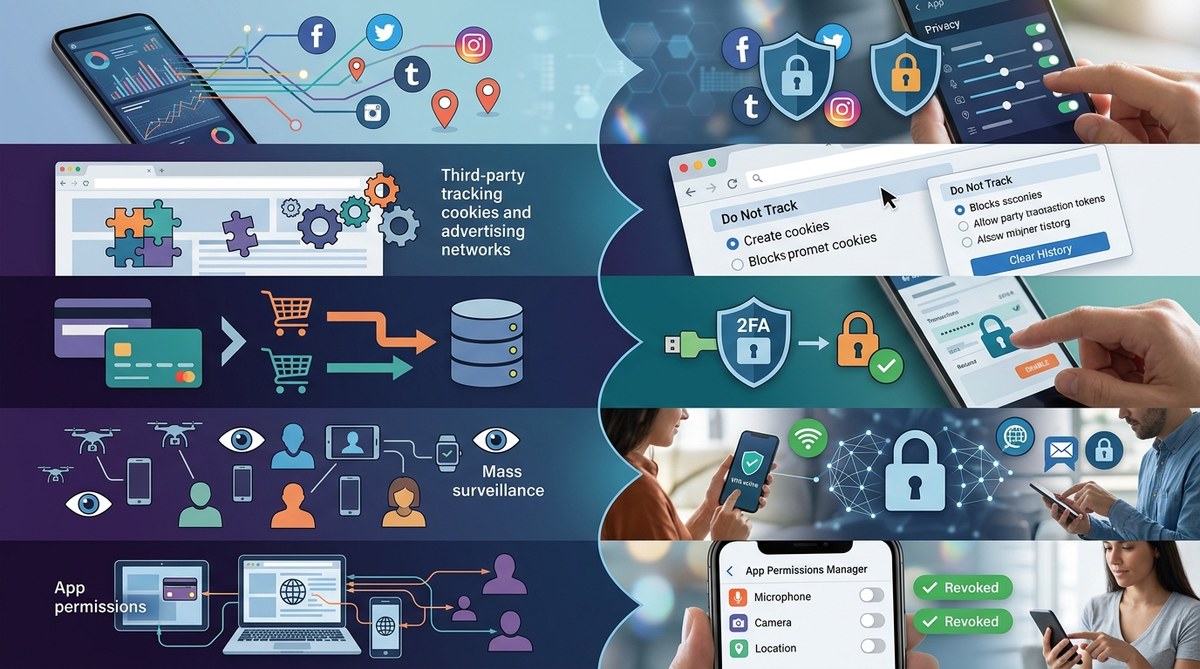
You just searched for a flight to Chicago. Five minutes later, that same flight shows up as an ad on your Instagram feed. It feels like a coincidence. It is not. Your data was just used without consent.
This happens constantly. Every click, every location ping, every “yes” on a cookie banner sends your information into a system you never signed up for. Companies collect, sell, and repackage your personal details without asking again. By the time you notice, your data is already in dozens of hands.
The good news? You can push back. And it does not require deleting every app or living off the grid.
Data used without consent is everywhere: from apps that share your contacts to smart speakers that listen in. But you can take control. This guide walks through the five sneakiest ways your data gets collected without permission and offers clear, actionable steps to lock it down today.
How Your Data Gets Used Without Permission
Data without consent is a feature of the modern internet, not a bug. The business models of most major tech companies rely on gathering as much information about you as possible. They then sell that information to advertisers, data brokers, and even political campaigns.
The Federal Trade Commission has taken action against companies for collecting data without consent, but the problem is far bigger than any one regulator can handle. Most of the time, the collection happens through loopholes you did not know existed.
Here are the five most common ways your data gets used without you saying yes.
5 Surprising Ways Your Data Is Collected Without Consent
1. Apps Harvest Your Address Book Without Telling You
When you install a new social app or a “free” game, it often asks for access to your contacts. If you say yes, the app uploads your entire address book to its servers. That includes phone numbers and email addresses of people who never agreed to be in that database.
What to do: On your phone, review app permissions regularly. On iOS, go to Settings > Privacy > Contacts. On Android, go to Settings > Privacy > Permission Manager. Deny contact access to any app that does not need it to function.
2. Your Browser Extensions Are Selling Your Data
Many free browser extensions look helpful. They block ads, manage passwords, or offer coupons. But behind the scenes, some of them track every page you visit. They bundle your browsing history and sell it to data brokers. You can learn more in our article about how browser extensions are selling your data and nobody is talking about it.
What to do: Only install extensions from trusted developers. Check reviews and permissions. Use built-in browser tools like Chrome’s Safety Check or Firefox’s Enhanced Tracking Protection.
3. Smart Home Devices Listen More Than You Think
Your smart speaker, smart TV, and even your thermostat can collect audio snippets or usage patterns. Sometimes the device activates when it should not. Amazon and Google have admitted that human contractors review voice recordings to improve their services. You never gave explicit permission for a person to hear your dinner conversation.
What to do: Mute the microphone on your devices when you are not using them. Review the privacy settings in your smart home hub. If you have a smart TV, turn off “voice data collection” or “interactive TV” features.
4. Data Brokers Buy and Sell Your Info Without Any Notification
Data brokers are companies that collect information from public records, purchase histories, and social media profiles. They then package your data into a profile and sell it to anyone who pays. This industry operates almost completely in the shadows. You never see a bill, and you never give permission.
What to do: Use services like DeleteMe or Incogni to request data removal from dozens of brokers. You can also search for “opt out” pages on major broker sites directly.
5. Location Tracking Happens Even When You Turn It Off
Your phone constantly pings nearby cell towers and Wi-Fi networks. Even with location services turned off, apps can approximate your location using your IP address. Some apps then share this location data with third parties for advertising or analytics.
What to do: Go into your phone’s location settings and disable “precise location” for apps that do not need it. Also, turn off “significant locations” and “frequent locations” in your system settings. Use a VPN to mask your IP address.
What the Experts Say
“The biggest myth is that you have to trade privacy for convenience. That is a false choice. Most data collection without consent is hidden inside long terms of service that nobody reads. The solution is to demand transparency and to use tools that give you real control.” — Electronic Frontier Foundation staff attorney
This quote reminds us that the system is designed to confuse. But you do not have to accept it.
The Hidden Costs: A Quick Look at Common Data Sharing Practices
The table below shows the type of data often taken without consent, how it happens, and what you can do about it.
| Data Type | How It Gets Collected Without Consent | What You Can Do |
|---|---|---|
| Email address | Imported by a friend’s app from their contacts | Use a burner email for signups; regularly check privacy settings |
| Browsing history | Browser extensions, trackers, and ad networks | Install a tracker blocker like uBlock Origin or Privacy Badger |
| Voice recordings | Smart speaker false activations | Mute the mic; delete stored voice history every month |
| Location data | IP address triangulation, Wi-Fi scanning | Use a VPN; disable precise location globally |
| Purchase history | Loyalty cards, online shopping trackers | Pay with cash or use a privacy-focused credit card |
| Social media activity | Cross-site tracking via “like” buttons and pixels | Use Facebook Container extension; log out of social accounts when not in use |
These practices are not accidents. They are by design. But you can fight back with simple habits.
Practical Steps to Reclaim Your Privacy
You do not need to be a cybersecurity expert. These steps take a few minutes and make a real difference.
- Turn off ad personalization on your Google, Facebook, and Apple accounts. This stops them from building a profile based on your behavior.
- Use a privacy-focused browser like Brave or Firefox with strict tracking protection. Chrome is built on advertising.
- Review app permissions on your phone every three months. Remove access for apps you no longer use.
- Use a password manager that does not share your credentials. Our article on whether password managers are safe can help you choose.
- Opt out of data broker lists using automated removal services.
- Cover your webcam with a slide. This is cheap, easy, and blocks any unauthorized camera access.
These steps work. They reduce the amount of your data that is used without consent starting today.
Tools That Help You Fight Back
Several tools can automate privacy protection for you.
- Privacy Badger (browser extension) — blocks trackers automatically.
- Firefox Relay — creates email masks to hide your real inbox.
- DuckDuckGo — search engine that does not track you.
- Signal — encrypted messaging app that does not mine your data.
- Jumbo (app) — scans your accounts and tightens privacy settings.
Pick one or two to start. You do not need to do everything at once.
Your Privacy Matters More Than Ever
The way your data used without consent happens every second of every day. But awareness is the first step. Once you know what is happening, you can choose to close the door.
Start with one change today. Maybe it is deleting voice history from your smart speaker. Maybe it is turning off location services for that weather app that does not need it. Small actions add up.
And if you ever feel overwhelmed, remember this: you are not alone. Millions of people are waking up to the same problem. The more we push back, the harder it becomes for companies to collect your data without asking.
Take a few minutes this week to review your settings. Your privacy is worth it.