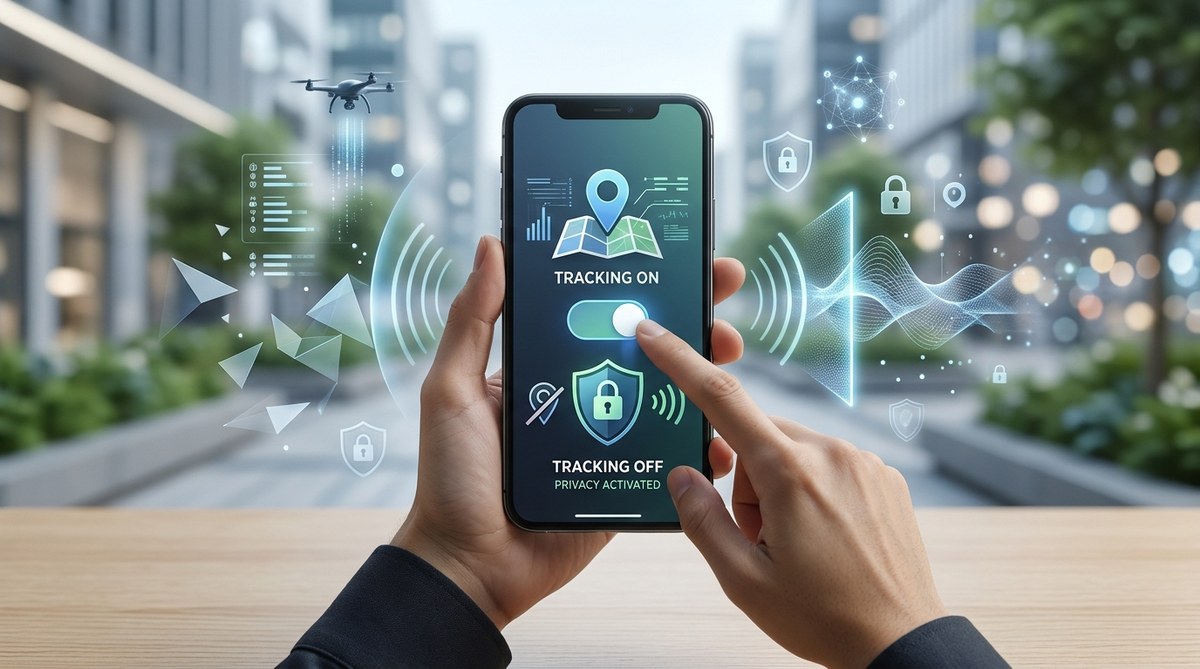
Your phone knows where you slept last night. It knows which coffee shop you visited this morning and how long you lingered by the pastry case. It knows what time you left work, the route you took home, and that you paused for a full minute outside the pet store window. This isn’t paranoia. It’s the quiet reality of modern smartphone design. Every app, every sensor, and every connection creates a data trail that companies monetize and governments sometimes access. The good news? You don’t have to accept this as normal. With a few deliberate changes, you can take back significant control over your digital privacy.
Stopping phone tracking is not about one magic setting. It requires a layered approach. Start by disabling location services and reviewing app permissions. Add a VPN for network protection, use privacy-focused browsers, and block ad trackers. Audit your apps regularly and remove anything suspicious. No single step makes you invisible, but combined they dramatically shrink your data footprint and break the tracking chain.
Where Your Phone Leaks Your Location
Your phone broadcasts your location through several channels at once. The most obvious one is GPS. When you use maps, ride sharing, or food delivery, your phone shares your coordinates with those apps. Less obvious is Wi-Fi triangulation. Your phone constantly scans for nearby wireless networks, and apps can use signal strength to estimate your position even when GPS is off. Bluetooth beacons in stores and airports also ping your device as you walk past them.
Cell tower connections create another major leak. Your phone must register with nearby towers to make calls or use data. Mobile network operators log which tower you connect to and when. This data is often sold to data brokers who build movement profiles on millions of people. Even if you disable every app permission, your carrier still knows the general area where you spend your nights and weekends.
The Hidden Trackers Inside Your Apps
Many common apps embed third-party tracking code that reports your behavior back to advertising networks. A weather app might not need to know your precise location to give a forecast, but it often asks for it anyway because that data has value. Social media platforms are among the worst offenders. They track not only what you do inside their app but also your activity across other websites and apps through tracking pixels and cookies.
Here are the common types of trackers hiding in your apps:
- Location trackers that log GPS coordinates at regular intervals
- Advertising identifiers that link your activity across different apps
- Behavioral trackers that record what you tap, scroll, and linger on
- Audio sampling tools that listen for ambient sounds (like TV shows or music) to build a profile
- Network analyzers that see what other devices are near your phone
Many of these trackers are buried inside privacy policies that run thousands of words. Most people tap “agree” without reading a single sentence. That is not your fault. The system is designed to overwhelm you.
A Practical Guide to Reclaiming Your Privacy
You do not need to become a cybersecurity expert to stop phone tracking. You just need to follow a sequence of steps that build on each other. Here is a numbered list of actions you can take today, starting with the most impactful.
-
Turn off location services system-wide. On an iPhone, go to Settings, then Privacy, then Location Services, and set it to Off. On Android, open Settings, then Location, and toggle it off. This prevents the operating system itself from feeding your location to apps. Remember that emergency services (911) will still work if you call them, but the phone may not automatically send your coordinates.
-
Review and restrict app permissions. Go through every app on your phone and check what permissions you granted. On iPhone, look under Settings, Apps, App Permissions. On Android, check Settings, Apps, then tap each app individually. Revoke permission for any app that requests location data without a clear need. A flashlight app does not need your GPS. A calculator app definitely does not.
-
Switch to a privacy-respecting browser. Default browsers like Chrome and Safari collect a lot of data by design. Install Firefox or Brave and set them as your default. Inside the browser settings, turn off all forms of data collection and analytics. Use the browser’s built-in tracker blocking features.
-
Install a reputable VPN service. A VPN encrypts your internet traffic and routes it through a server in a different location. This prevents your internet service provider and local network operators from seeing which websites you visit. It also masks your IP address, which is a common way websites estimate your location. Choose a paid VPN with a verified no-logs policy. Free VPNs often sell your data to cover their costs.
-
Block ads and trackers at the network level. Services like NextDNS or AdGuard DNS filter out tracking requests before they even reach your phone. You configure them in your phone’s Wi-Fi settings. They work for all apps, not just your browser. This catches trackers that try to phone home from inside games, utilities, and other non-browser software.
-
Remove apps you do not use. Every app you keep installed is a potential data leak. Uninstall apps that duplicate functionality. If you have three different note-taking apps, keep the one you actually use. If you downloaded an app for a single purpose months ago and never opened it again, delete it.
-
Turn off personalized ads. On iPhone, go to Settings, Privacy, Advertising, and turn off Personalized Ads. On Android, open Settings, Privacy, Ads, and disable ad personalization. This does not stop all tracking, but it breaks the direct link between your behavior and the ads you see.
Common Mistakes That Undo Your Privacy Efforts
Many people try to stop phone tracking but make errors that leave them exposed. Here is a table that shows what people often get wrong and what actually works.
| What People Do | Why It Fails | What Actually Works |
|---|---|---|
| Turn off location only in one app | Other apps still collect data freely | Turn off location system-wide |
| Use a free VPN | The free VPN itself may sell your data | Use a paid, audited no-logs VPN |
| Delete cookies but keep apps | Apps have direct access to sensors | Audit app permissions regularly |
| Use airplane mode occasionally | Airplane mode only disables cellular and Wi-Fi; GPS and Bluetooth may still be active | Turn off specific radios individually |
| Rely on incognito mode | Incognito only hides browsing from other users of your device, not from websites or your ISP | Use a VPN plus a private browser |
“The single most effective thing you can do is treat your phone like a device that is always trying to report on you. Assume every sensor is leaking data until you personally disable it.” This advice comes from a former mobile app developer who now works on privacy advocacy. She recommends doing a full privacy audit every three months because apps update their permissions silently.
How to Check if Your Efforts Are Working
You can verify that your phone tracking is actually reduced. Start by looking at the location indicator on your phone. On iPhone, a purple arrow icon appears in the status bar whenever an app accesses your location. On Android, a location icon shows up in the notification area. If you see these icons appearing when you are not using a location-aware app, something is wrong.
You can also check your Google Activity page if you use an Android phone or Google services. Go to myactivity.google.com and look at the Location History section. If it shows timestamps and places you visited after you disabled location services, then some app or service is overriding your settings. Revoke that app’s permissions immediately.
For a deeper check, use a network monitoring tool like Wireshark on your home computer to see what data your phone sends while idle. This requires some technical setup, but it reveals exactly which domains your phone talks to in the background. Many people are surprised to see their phone contacting advertising servers every few minutes even when they are not actively using it.
Building a Long-Term Privacy Habit
Privacy is not a one-time setup. It is a practice. The companies that track you update their methods constantly. They find new loopholes and new ways to ask for permissions. Your defense is to stay slightly more informed than the average user.
Make a habit of checking your app permissions every month. Set a calendar reminder if you need to. When you install a new app, pay attention to the permissions it requests. If a simple game wants access to your microphone or contacts, deny it. If a weather app insists on your precise location, find a different weather app.
Consider keeping a separate “burner” phone for activities that require location sharing, like ride hailing or food delivery. This does not mean buying a second expensive device. An older model that you keep at home and only use for sensitive tasks works perfectly. The phone you carry daily should have all location features disabled.
Your Phone Should Work for You, Not Against You
The companies that track you spend billions of dollars to make their tracking invisible. They want you to feel like privacy is impossible so you give up trying. But the opposite is true. The tools to stop phone tracking are available right now, and many of them are free or low cost. The only requirement is that you take action.
You do not need to lock yourself in a digital bunker. You just need to set boundaries. Your phone is a tool you own, not a device that owns you. By following the steps in this guide, you shift the balance of power back to where it belongs. Your movements, your habits, and your personal life are yours. Keep them that way.
Start with the first step today. Turn off location services on your phone right now. It takes ten seconds, and it is the foundation everything else builds on. Once you feel the relief of knowing your phone is no longer broadcasting your coordinates to the world, move on to the next step. Each small change adds up to real privacy.