
Category: Technology

  • How AI Image Generators Are Quietly Reshaping Creative Industries

    How AI Image Generators Are Quietly Reshaping Creative Industries

    Creative work looked the same for decades. Designers sketched concepts, photographers captured images, illustrators drew by hand or tablet. Then generative AI arrived and changed the rules overnight.

    Key Takeaway

    AI image generators are reshaping creative industries by automating routine design tasks, accelerating concept development, and democratizing visual creation. While some roles face disruption, professionals who combine AI tools with human creativity, strategic thinking, and client communication are finding new opportunities. The shift demands adaptability but rewards those who treat AI as a collaborator rather than a replacement.

    The shift from traditional to AI-assisted creative work

    Five years ago, creating a product mockup meant hiring a photographer, renting studio space, and coordinating a shoot. Today, a marketer can generate dozens of variations in an afternoon using text prompts.

    This speed advantage explains why adoption has been so rapid. Companies that once spent weeks on visual concepts now iterate daily. Agencies that employed teams of junior designers now use AI for initial drafts.

    The technology handles repetitive tasks exceptionally well. Background removal, color variations, style transfers, and basic compositions happen in seconds. This frees creative professionals to focus on strategy, refinement, and client relationships.

    But speed alone doesn’t explain the transformation. AI tools have also lowered barriers to entry. Small businesses that couldn’t afford custom photography now generate branded imagery. Solo entrepreneurs create professional-looking marketing materials without design training.

    Where AI tools are making the biggest impact
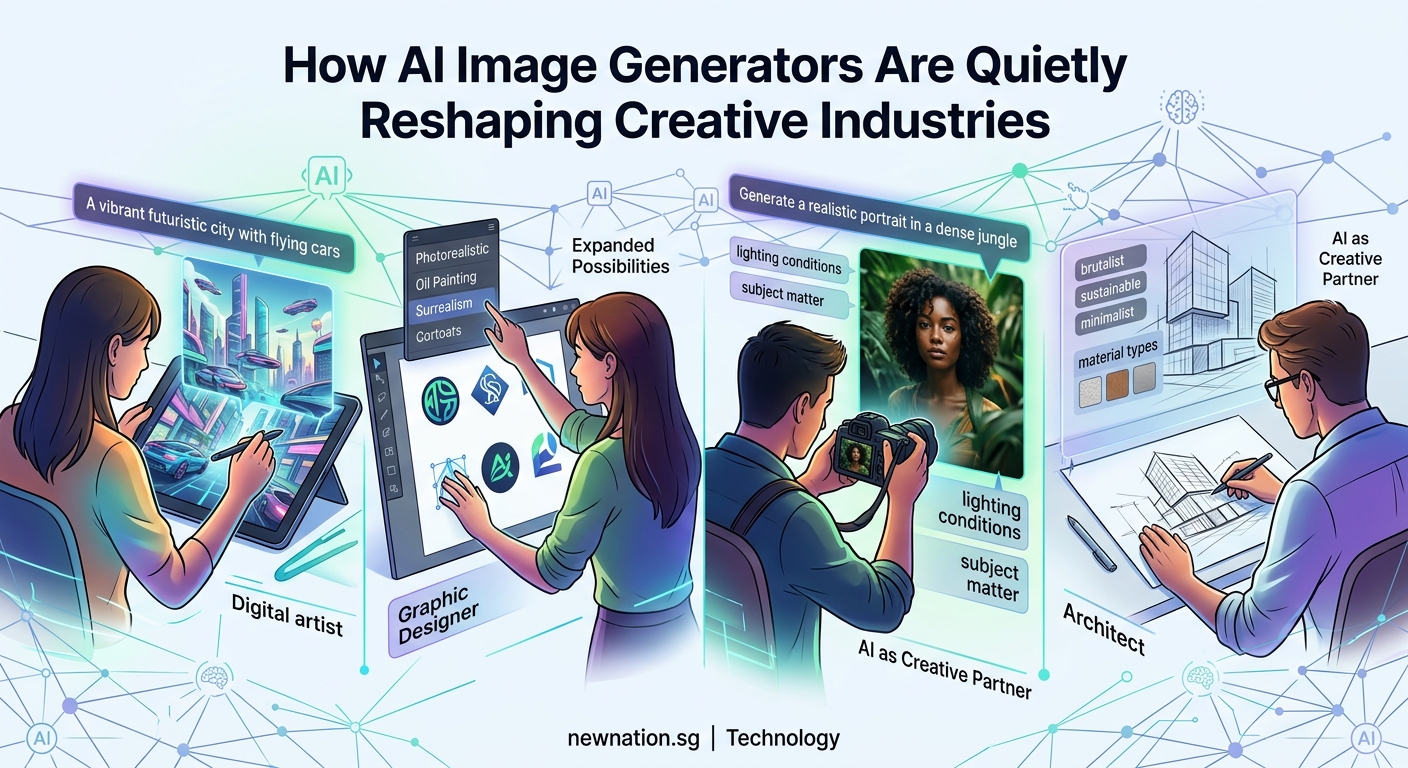
    How AI Image Generators Are Quietly Reshaping Creative Industries - Illustration 1

    Different creative sectors are experiencing different levels of disruption. Some fields have adapted smoothly while others face fundamental challenges.

    Advertising and marketing

    Marketing teams were early adopters. They needed high volumes of visual content for social media, email campaigns, and ad testing. AI generators let them produce hundreds of variations for A/B testing without proportional budget increases.

    Product photography has shifted dramatically. E-commerce brands generate lifestyle images showing products in various settings without physical shoots. A furniture company can show the same sofa in beach houses, city apartments, and mountain cabins using only the original product photo and text descriptions.

    Social media content creation has accelerated. Brands that posted once daily now post multiple times across platforms. AI handles the volume while human strategists focus on messaging and engagement.

    Graphic design and illustration

    Freelance illustrators report the most significant pressure. Clients who once commissioned custom artwork now ask if AI can produce “something similar” for less money. Editorial illustration budgets have shrunk as publishers generate header images in-house.

    Logo design and branding remain largely human-driven. Clients still value the strategic thinking, research, and refinement process that experienced designers provide. AI can suggest directions but struggles with the nuanced decision-making that builds strong brand identities.

    Print design has seen moderate impact. Layout work, typography, and production knowledge still require human expertise. AI assists with image sourcing and background generation but doesn’t replace the core skills.

    Photography

    Stock photography faced immediate disruption. Why pay licensing fees when you can generate similar images? Major stock agencies have seen declining sales in generic categories like “business handshake” or “happy family.”

    Commercial photographers who offer commodity services struggle to compete on price. Headshot studios, basic product photography, and generic event coverage face pressure.

    Specialized photographers thrive. Fashion photography requiring specific models, architectural photography needing real locations, and photojournalism capturing actual events remain human domains. The irreplaceable element is authentic documentation of real moments and places.

    How creative professionals are adapting

    Smart professionals aren’t fighting the technology. They’re integrating it into workflows and repositioning their value.

    1. Learn the tools and understand their capabilities. Professionals who master AI generators can work faster and offer clients more options. They know which prompts produce usable results and which tasks still need human execution.

    2. Focus on higher-value services that AI can’t replicate. Strategic thinking, client consultation, brand development, and creative direction become more valuable as technical execution becomes commoditized.

    3. Combine AI output with human refinement. Generate initial concepts with AI, then apply professional judgment to select, modify, and polish. The hybrid approach delivers speed and quality.

    The professionals thriving in this environment treat AI as an assistant, not a threat. They use it for ideation, rough drafts, and variations while applying their expertise to strategy and final execution.

    Skills that matter more than ever

    As AI handles technical execution, different skills become differentiators.

    Creative professionals need:

    • Strategic thinking about brand positioning and audience psychology
    • Client communication and relationship management
    • Art direction and concept development
    • Understanding of composition, color theory, and visual hierarchy
    • Ability to critique and refine AI-generated content
    • Knowledge of copyright, ethics, and responsible AI use

    Technical skills still matter but shift in focus. Instead of mastering every Photoshop technique, professionals need to understand which tools solve which problems. Instead of perfecting illustration styles, they need to direct AI toward appropriate aesthetics.

    The ability to prompt effectively has become valuable. Knowing how to describe visual concepts precisely, reference styles accurately, and iterate toward a vision takes practice and visual literacy.

    The economics of creative work are shifting

    Pricing structures are evolving as production costs change. Work that once took days now takes hours. Clients expect faster turnarounds and lower prices for routine tasks.

    Service Type Traditional Pricing AI-Era Pricing Why It Changed
    Stock imagery Per-image licensing Subscription or generation Infinite supply reduces scarcity value
    Logo concepts Fixed project fee Higher strategy fee, lower execution Concepts generate instantly, strategy still needs expertise
    Product mockups Per-image rate Volume-based packages Marginal cost per image approaches zero
    Custom illustration Hourly or per-piece Premium for authenticity Differentiation based on human touch

    Professionals are adjusting by packaging services differently. Instead of charging per image, they offer creative direction packages. Instead of hourly rates for execution, they charge for strategy and refinement.

    The value has shifted from production to judgment. Clients can generate images themselves but lack the expertise to know which ones work, how to refine them, and how to build cohesive visual identities.

    Real examples of AI integration in creative workflows

    A boutique branding agency now uses AI for client presentations. They generate 50 mood board images in an hour, present curated selections to clients, then create final assets using a mix of AI, stock photography, and custom work. Client satisfaction increased because they see more options earlier.

    A product photographer added AI services to stay competitive. She photographs products professionally, then offers clients AI-generated lifestyle images showing products in various contexts. Her photography skills ensure quality source images while AI provides affordable variety.

    A freelance illustrator repositioned as an art director. She uses AI to generate rough concepts, presents options to clients, then creates final illustrations by hand for projects requiring authentic artistic style. Her artistic judgment became more valuable than her drawing speed.

    An advertising creative director uses AI for rapid concepting. His team generates hundreds of visual directions for campaigns, tests them with focus groups, then produces final assets using traditional methods. The research phase became faster and more thorough.

    Challenges and limitations still facing AI tools

    Despite rapid progress, AI image generators have clear weaknesses. Understanding these limitations helps professionals position their services.

    Text rendering remains problematic. AI struggles with legible typography, making it unreliable for designs requiring readable text. Human designers still handle anything with words.

    Consistency across images is difficult. Generating a character or product that looks identical across multiple images requires workarounds. Brand consistency still needs human oversight.

    Complex compositions with specific spatial relationships often fail. AI can generate beautiful images but struggles when precise positioning matters. Architectural visualization, technical illustration, and detailed product staging need human control.

    Copyright and licensing create legal uncertainty. Images trained on copyrighted work raise questions about ownership and usage rights. Professional clients often prefer human-created work with clear licensing.

    “AI is incredible for exploration and ideation, but the last 20% that makes work truly excellent still requires human judgment, taste, and strategic thinking. That’s where professionals should focus their energy.”

    What this means for career paths and education

    Design schools are updating curricula. Programs now teach AI tools alongside traditional skills. Students learn both how to generate images and how to art direct, critique, and refine them.

    Junior positions are disappearing in some agencies. Entry-level tasks like creating variations, resizing assets, and basic retouching now happen through AI. New professionals need to enter at higher skill levels.

    Portfolio requirements are changing. Showing technical execution matters less than demonstrating creative thinking, problem-solving, and strategic approaches. Students need to prove they can direct projects, not just execute tasks.

    Continuing education has become essential. Mid-career professionals attend workshops on AI tools, prompt engineering, and hybrid workflows. Staying current requires ongoing learning.

    The role of human creativity in an AI world

    Despite concerns about replacement, human creativity remains central. AI generates based on patterns in training data. It can’t create truly novel concepts or understand cultural context deeply.

    Breakthrough creative ideas still come from humans. The unexpected connection, the culturally relevant insight, the emotionally resonant concept. These require lived experience and human understanding.

    Client relationships depend on empathy and communication. Understanding unstated needs, reading body language, building trust. These interpersonal skills become more valuable as technical skills commoditize.

    Taste and judgment separate good from great. AI produces many options but can’t determine which one resonates with a specific audience or aligns with brand values. Curating and refining require human discernment.

    The future likely involves collaboration. Humans provide creative direction and strategic thinking. AI handles execution and variation. The combination produces better results faster than either alone.

    Preparing for continued evolution

    AI capabilities will keep improving. Tools that struggle with hands today will master them tomorrow. Services that seem safe from automation may face pressure next year.

    Professionals who stay adaptable will navigate these changes successfully. That means continuously learning new tools, experimenting with workflows, and staying connected to industry developments.

    Building a personal brand helps weather disruption. Professionals known for specific expertise, unique styles, or strong client relationships maintain demand regardless of technological changes.

    Diversifying income streams provides stability. Offering strategy services, education, consultation, and execution creates multiple revenue sources. If one area faces pressure, others compensate.

    Making AI work for you instead of against you

    The transformation of creative industries is happening whether individual professionals embrace it or not. The question isn’t whether AI will change your field but how you’ll respond.

    Professionals who view AI as a tool rather than a competitor find opportunities. They work faster, offer more services, and solve problems that weren’t economically feasible before. They use technology to enhance their creativity rather than replace it.

    Start experimenting today. Try different generators. Learn what they do well and where they fail. Figure out how they fit into your workflow. The hands-on experience will reveal opportunities and limitations that theory can’t teach.

    Your creative judgment, strategic thinking, and human insight are more valuable now than ever. AI can generate images, but it can’t understand what your clients truly need or craft the perfect solution for their unique situation. That’s your competitive advantage. Build on it.
  • The Hidden Environmental Cost of Streaming Your Favorite Shows

    You press play on your favorite show, settle into the couch, and think nothing of it. But behind that seamless stream lies a vast network of data centers, servers, and transmission systems burning through electricity. Every episode you watch leaves a carbon footprint, and the numbers are staggering when you add up billions of viewers worldwide.

    Key Takeaway

    Streaming video accounts for approximately 300 million tons of CO2 emissions annually, driven by data centers, network infrastructure, and device energy use. A single hour of HD streaming can produce 36 to 55 grams of carbon dioxide. Reducing video quality, downloading content for offline viewing, and choosing efficient devices can significantly lower your digital carbon footprint without sacrificing entertainment.

    What makes streaming so energy intensive

    Streaming video requires a complex chain of infrastructure that consumes power at every step. When you click play, your request travels through internet cables to a data center that stores the content. That data center runs thousands of servers, all needing electricity and cooling systems to prevent overheating.

    The content then travels back through network equipment, routers, and cell towers before reaching your device. Each component along this path draws power. The bigger the file, the more energy needed to transmit it.

    High definition and 4K video require exponentially more data than standard definition. A 4K stream uses about 7 GB per hour compared to 1 GB for standard definition. That sevenfold increase in data means seven times the energy consumption across the entire delivery chain.

    Your viewing device also matters. Smart TVs consume more power than laptops, which use more than tablets or phones. Streaming on a 50-inch television for three hours can use as much electricity as running your refrigerator for a day.

    The carbon footprint by the numbers

    Research from The Shift Project, a French think tank, estimated that online video streaming generated roughly 300 million tons of CO2 in 2018. That equals about 1% of global emissions, comparable to the annual output of Spain.

    Breaking down the numbers further reveals some surprising patterns:

    • Streaming one hour of video produces between 36 and 55 grams of CO2
    • Watching 30 minutes of Netflix daily for a year creates emissions equal to driving 4 miles
    • Global internet video traffic reached 82% of all consumer internet traffic by 2022
    • Data centers worldwide consume about 200 terawatt hours annually, more than some countries

    Different platforms have different impacts based on their infrastructure efficiency. Companies investing in renewable energy and optimized data centers produce lower emissions per stream than those relying on fossil fuel powered facilities.

    The type of content also affects the footprint. Live streaming events require real time processing and can’t benefit from caching strategies that reduce energy use. Gaming streams with chat overlays and interactive elements consume more resources than pre recorded shows.

    How data centers contribute to the problem

    Data centers form the backbone of streaming services. These facilities house the servers that store and deliver content to millions of users simultaneously. They operate 24/7, consuming massive amounts of electricity.

    Cooling systems represent a major energy drain. Servers generate intense heat, and maintaining optimal temperatures requires constant air conditioning. Some data centers use as much energy for cooling as they do for computing.

    Location matters significantly. A data center in Iceland powered by geothermal energy has a dramatically smaller carbon footprint than one in coal dependent regions. Tech companies are increasingly building facilities in areas with abundant renewable energy, but the transition takes time.

    Redundancy adds to energy consumption. Streaming services maintain multiple copies of popular content across different geographic locations to ensure fast loading times. This redundancy improves user experience but multiplies the storage energy required.

    Network infrastructure and transmission costs

    The internet infrastructure connecting data centers to your home consumes substantial energy. Cell towers, fiber optic networks, and wireless routers all draw power continuously.

    Wireless streaming uses more energy than wired connections. Mobile data transmission requires cell towers that consume significant electricity. WiFi is more efficient than cellular data, and ethernet connections are the most energy efficient option.

    Peak usage times strain the network more than off peak hours. When millions of people stream simultaneously during evening hours, network equipment operates at maximum capacity, drawing more power than during lower traffic periods.

    The distance data travels also impacts energy use. Content delivered from a nearby server uses less energy than data transmitted across continents. Content delivery networks help by storing popular shows closer to viewers, reducing transmission distances.

    Comparing streaming to physical media

    Many people assume streaming is greener than buying DVDs or Blu rays, but the comparison is more nuanced. Physical media requires manufacturing, packaging, and shipping, all of which generate emissions. However, once produced, a DVD can be watched repeatedly with no additional environmental cost beyond the electricity to power your player.

    Streaming generates emissions every single time you watch. If you watch a movie once, streaming likely has a lower footprint than buying a physical copy. But if you rewatch favorites multiple times, the cumulative streaming emissions can exceed the one time manufacturing impact of a disc.

    The shift from ownership to access has changed consumption patterns. Streaming makes it effortless to watch vast amounts of content, often leading to increased total viewing time. This convenience factor means people consume more video overall, increasing aggregate emissions even if per view efficiency improves.

    Viewing Method One Time CO2 Cost Rewatchability Impact Total Footprint
    DVD purchase High initial (manufacturing + shipping) No additional emissions Fixed after purchase
    Streaming HD Low per view Emissions multiply with each view Scales with usage
    Downloaded content Medium (one time download) No additional streaming emissions Lower for rewatching
    4K streaming High per view Significant emissions per rewatch Highest for frequent viewing

    Steps you can take to reduce your streaming footprint

    You don’t have to stop watching shows to lower your environmental impact. Small changes in how you stream can significantly reduce emissions.

    1. Lower your video quality settings. Most streaming platforms default to the highest quality your connection supports, but standard definition uses far less data and energy than HD or 4K. The visual difference on smaller screens is minimal.

    2. Download content when possible instead of streaming repeatedly. If you know you’ll rewatch a show or want to share it with family members, downloading it once saves the energy of multiple streams.

    3. Use smaller screens when appropriate. Watching on a tablet or laptop instead of a large TV reduces device energy consumption. Save the big screen for movies or shows where visual quality really matters.

    4. Choose wired connections over wireless when available. Ethernet uses less energy than WiFi, which uses less than cellular data. Streaming on your phone over 4G or 5G has the highest energy cost.

    5. Close streaming apps when not actively watching. Many apps continue running in the background, maintaining connections and using energy even when paused for extended periods.

    6. Support platforms committed to renewable energy. Companies like Google (YouTube) and Netflix have made significant investments in renewable energy for their data centers. Your viewership supports their business model and sustainability initiatives.

    “The most sustainable stream is the one you don’t make. Being mindful about what you watch, avoiding endless scrolling, and making intentional viewing choices reduces both your carbon footprint and screen time.”

    What streaming companies are doing

    Major platforms have started addressing their environmental impact, though progress varies widely. Netflix announced a commitment to net zero greenhouse gas emissions by the end of 2022, investing in renewable energy projects to offset their data center consumption.

    YouTube’s parent company Google has been carbon neutral since 2007 and aims to run on carbon free energy 24/7 by 2030. They’ve invested billions in renewable energy projects and optimized their data centers to use 50% less energy than typical facilities.

    Amazon Prime Video faces criticism because Amazon Web Services, which powers the platform, still relies significantly on fossil fuels in some regions. However, the company has pledged to reach net zero carbon by 2040 and is investing heavily in renewable energy.

    Smaller platforms often lack resources for major sustainability initiatives. They typically rent server space from larger providers, meaning their environmental impact depends on those third party data center policies.

    Some companies are experimenting with innovative solutions:

    • Using waste heat from data centers to warm nearby buildings
    • Deploying underwater data centers cooled by ocean water
    • Implementing AI to predict demand and power down unused servers
    • Locating facilities near renewable energy sources like hydroelectric dams

    The role of internet service providers

    Your internet service provider plays a significant role in your streaming footprint. ISPs operate the network infrastructure that delivers content to your home, and their energy sources vary dramatically.

    Some providers have committed to renewable energy, while others rely on coal or natural gas. Choosing an ISP with strong environmental commitments can reduce the carbon impact of all your internet usage, not just streaming.

    Network efficiency also matters. Providers investing in modern infrastructure can deliver content using less energy than those operating outdated equipment. Fiber optic networks are generally more energy efficient than older cable systems.

    Auto play and recommendation algorithms

    Streaming platforms design their interfaces to maximize viewing time. Auto play features that launch the next episode without input encourage binge watching, increasing total energy consumption.

    Recommendation algorithms suggest endless content, making it easy to watch more than you originally intended. These features benefit platforms by increasing engagement, but they also drive up collective emissions.

    You can disable auto play in most streaming app settings. This simple change forces a conscious decision before each episode, often reducing total viewing time and the associated environmental cost.

    The future of sustainable streaming

    Technology improvements promise to reduce streaming’s environmental impact. More efficient video codecs compress files smaller without quality loss, reducing data transmission needs. The AV1 codec, for example, can reduce file sizes by 30% compared to older standards.

    Edge computing brings content storage closer to users, reducing transmission distances and energy use. As this technology spreads, the energy cost per stream should decrease.

    Renewable energy adoption continues growing. As more data centers and network infrastructure switch to solar, wind, and other clean sources, the carbon intensity of streaming will fall even if total viewing hours increase.

    Some researchers propose “carbon aware” streaming that adjusts quality based on grid carbon intensity. During times when renewable energy is abundant, the system would allow higher quality streams. When fossil fuels dominate the grid, quality would automatically reduce to minimize emissions.

    Balancing entertainment and environmental responsibility

    Streaming has become central to how we relax and connect with culture. The goal isn’t to eliminate it but to make more conscious choices about when and how we stream.

    Think of your streaming habits like any other resource consumption. You probably don’t leave lights on in empty rooms or run the tap while brushing your teeth. Applying similar mindfulness to digital habits makes sense.

    Consider which shows truly deserve your attention versus what you watch out of habit or boredom. Intentional viewing reduces both your carbon footprint and the time you spend staring at screens, a win for the planet and your wellbeing.

    Small individual actions add up when millions of people make similar changes. If every Netflix subscriber reduced their viewing quality from 4K to HD, the collective energy savings would be enormous.

    Your entertainment choices matter more than you think

    The environmental cost of streaming isn’t going away, but it doesn’t have to keep growing either. Every time you adjust your video quality, download instead of streaming repeatedly, or choose a smaller screen, you reduce your digital carbon footprint.

    These changes don’t require sacrifice. Most people can’t tell the difference between HD and 4K on screens under 50 inches. Downloading your favorite comfort show once instead of streaming it monthly saves energy with zero impact on enjoyment.

    The streaming industry will continue evolving toward sustainability, but consumer choices accelerate that transition. Companies respond to user priorities, and demonstrating that environmental impact matters influences their infrastructure investments and policy decisions.

    Start with one small change this week. Lower your default video quality or disable auto play. Notice whether it actually affects your viewing experience. Chances are, you’ll enjoy your shows just as much while leaving a lighter footprint on the planet.

  • Why Your Smartphone Feels Slower After Every Update (And What You Can Actually Do About It)

    Why Your Smartphone Feels Slower After Every Update (And What You Can Actually Do About It)

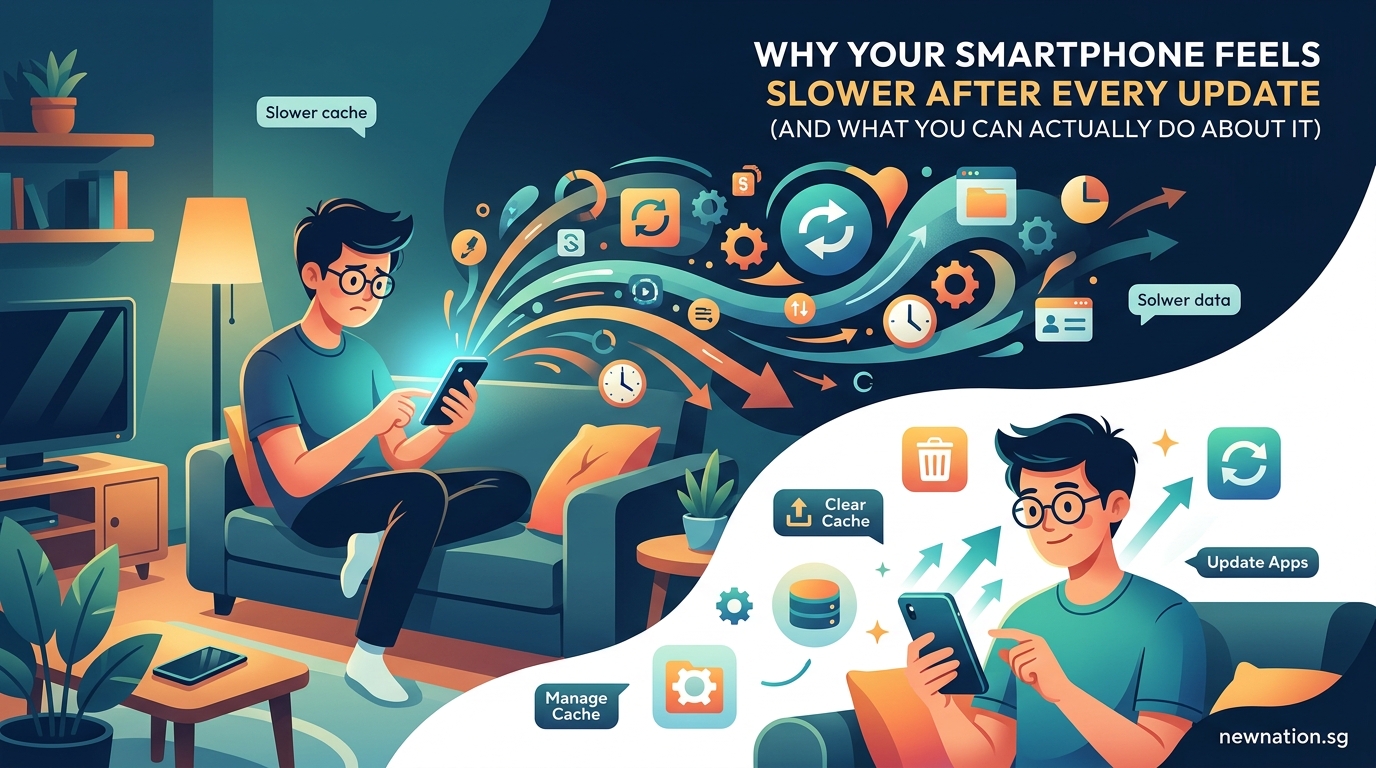
    You updated your phone last night. This morning, apps take forever to open. Scrolling feels sticky. Your battery drains faster than usual. Sound familiar?

    Key Takeaway

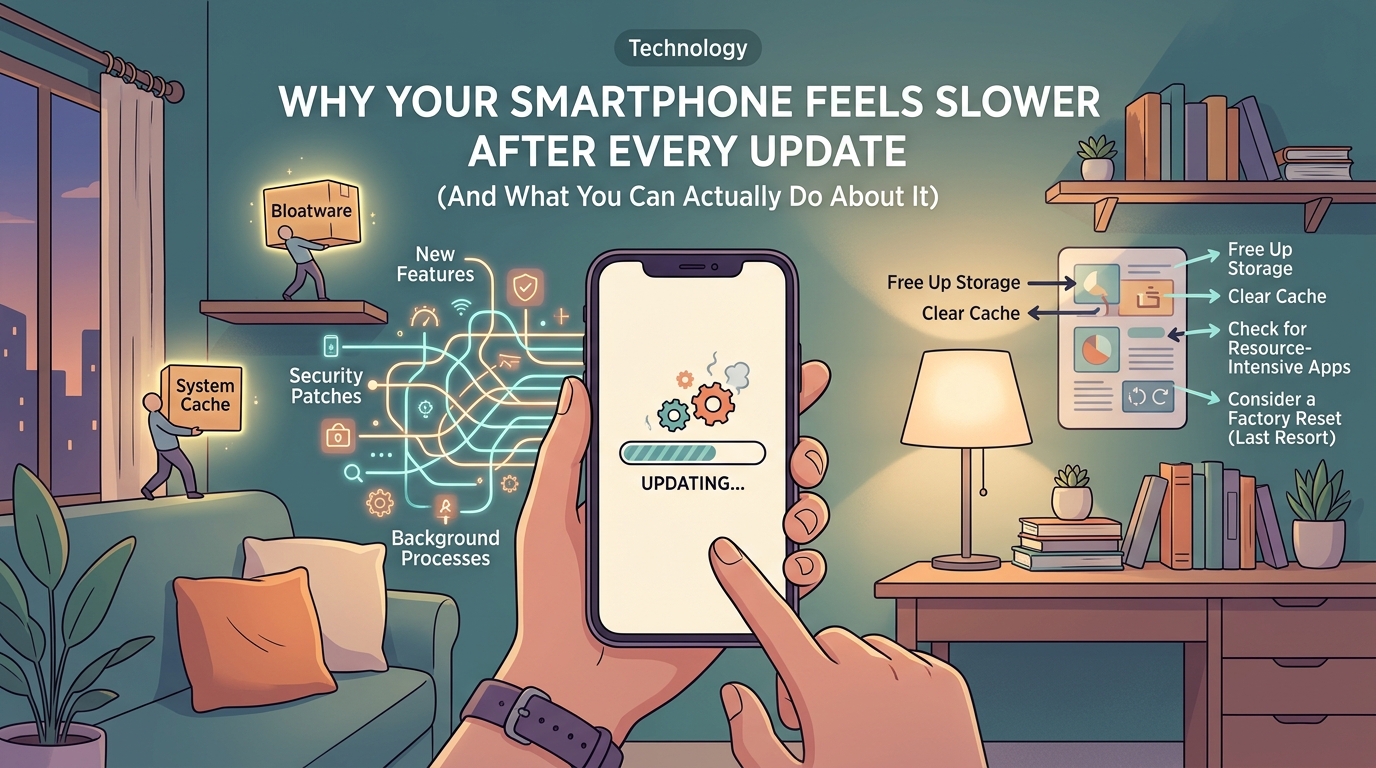
    Phone slowdowns after updates happen because new software demands more resources, background processes multiply, and cached data conflicts with fresh code. Most performance issues resolve through simple steps like clearing cache, managing storage space, and adjusting settings. Hardware limitations become more apparent with each update, but proper maintenance restores most lost speed without factory resets.

    Software Gets Heavier With Every Release

    Operating system updates add new features. Those features need processing power.

    Your phone’s processor hasn’t changed. The RAM stays the same. But the software now does more work.

    Think of it like adding passengers to a bus. The engine stays identical, but acceleration suffers with each new rider.

    iOS and Android updates include:

    • Enhanced security scanning that runs constantly
    • New animation effects that require graphics processing
    • Additional background services monitoring battery health
    • Expanded notification systems tracking more app behaviors
    • Improved voice assistants listening for wake words

    Each feature sounds small. Together, they consume resources your older device struggles to provide.

    App developers also update their software to match new operating systems. Instagram, Facebook, and TikTok all grow larger with each version. They assume your phone has the latest specs.

    Background Processes Multiply After Updates

    Why Your Smartphone Feels Slower After Every Update (And What You Can Actually Do About It) - Illustration 1

    Updates reset many system behaviors. Processes you previously disabled often restart.

    Location services turn back on. App refresh settings revert to defaults. Backup services begin syncing everything.

    Your phone suddenly runs dozens of tasks simultaneously. Each one pulls from the same limited battery and processor.

    Check your settings after any major update:

    1. Open battery usage statistics and identify apps consuming excessive power
    2. Review location permissions and disable constant tracking for non-essential apps
    3. Turn off background app refresh for social media and shopping apps
    4. Disable automatic downloads for app updates, music, and videos
    5. Stop photo backup services from running continuously throughout the day

    These background tasks explain why your phone feels warm in your pocket. The processor never rests.

    Cache Files Create Conflicts

    Your phone stores temporary files to speed up app loading. These cache files work perfectly with your old software version.

    Then you update.

    The new operating system expects different file structures. Old cached data doesn’t match the new code. Apps hesitate, trying to reconcile the mismatch.

    Safari or Chrome might load pages slowly. Photos take longer to display thumbnails. Messages lag when scrolling through conversations.

    Clearing cache solves most conflicts:

    • Safari: Settings > Safari > Clear History and Website Data
    • Chrome: Settings > Privacy > Clear Browsing Data
    • System Cache: Settings > General > iPhone Storage (wait for recommendations)
    • App Cache: Delete and reinstall problematic apps
    • Keyboard Cache: Settings > General > Reset > Reset Keyboard Dictionary

    You lose some convenience. Websites reload from scratch. Apps forget your preferences. But performance improves dramatically.

    Storage Space Affects Everything

    Why Your Smartphone Feels Slower After Every Update (And What You Can Actually Do About It) - Illustration 2

    Updates install while your existing system remains active. The process creates duplicate files temporarily.

    Many phones end up with less than 10% free storage after updates complete. This cripples performance.

    Operating systems need breathing room. They constantly write temporary files, move data around, and create backup copies. Without space, everything grinds slower.

    Storage Remaining Performance Impact What Happens
    Above 20% Minimal slowdown Normal operation with occasional delays
    10-20% Noticeable lag Apps close unexpectedly, camera struggles
    5-10% Severe issues Frequent freezing, failed app launches
    Below 5% Near unusable System warnings, disabled features

    Free up space immediately:

    1. Delete unused apps you haven’t opened in three months
    2. Remove downloaded videos from Netflix, YouTube, or streaming services
    3. Clear out old message threads with hundreds of photos
    4. Upload photos to cloud storage and enable “optimize storage”
    5. Delete browser downloads you no longer need

    Aim for at least 15% free storage. Your phone needs that buffer to function properly.

    Hardware Limitations Become Obvious

    Each software generation assumes better hardware exists. Developers optimize for newer processors, improved cameras, and faster memory.

    Your three-year-old phone runs code designed for this year’s flagship models.

    The processor handles calculations differently now. Graphics rendering uses new techniques your GPU barely supports. Memory management expects faster RAM speeds.

    You notice this most in:

    • Camera app taking seconds to open
    • Keyboard appearing slowly when typing
    • Switching between apps feeling sluggish
    • Games stuttering during complex scenes
    • Video calls freezing or dropping quality

    “Software updates prioritize new features over backward compatibility. Companies want you excited about capabilities, not worried about performance on older devices. The business model depends on regular hardware upgrades.” – Former Apple engineer speaking anonymously

    This isn’t planned obsolescence in the conspiracy sense. But it’s not accidental either.

    Phone makers know updates slow older devices. They balance new features against performance costs. New features usually win.

    Index and Spotlight Rebuilding Takes Days

    After major updates, your phone reindexes everything. Spotlight search catalogs every file, photo, message, and email again.

    This background process runs constantly for 24 to 72 hours. Your phone feels slower because it’s literally rebuilding its internal database.

    You can’t stop this process. You can only wait it out.

    Keep your phone plugged in overnight. Let it complete the indexing while you sleep. Performance improves once the process finishes.

    Some users report their phone feeling hot during this period. That’s normal. The processor works overtime cataloging thousands of items.

    Battery life also suffers temporarily. The indexing drains power faster than normal usage.

    Give it three days before judging post-update performance. Many slowdown complaints resolve naturally after the reindexing completes.

    Settings Reset to Default Values

    Updates often revert customizations you made months ago. Motion effects turn back on. Transparency increases. Animations extend.

    These visual flourishes look impressive on new phones. They drag down older hardware.

    Reduce motion and visual effects:

    • Reduce Motion: Settings > Accessibility > Motion > Reduce Motion (ON)
    • Reduce Transparency: Settings > Accessibility > Display > Reduce Transparency (ON)
    • Limit Frame Rate: Settings > Accessibility > Motion > Limit Frame Rate (ON)
    • Auto-Brightness: Settings > Accessibility > Display > Auto-Brightness (OFF, set manually)
    • True Tone: Settings > Display & Brightness > True Tone (OFF on older devices)

    These changes make your interface less flashy. But apps open faster. Scrolling smooths out. Battery lasts longer.

    You sacrifice pretty animations for actual usability. That’s a fair trade on phones older than two years.

    App Compatibility Issues Emerge

    Developers rush to update apps for new operating systems. Sometimes they introduce bugs.

    Your banking app crashes on launch. Your fitness tracker won’t sync. Your favorite game freezes at the loading screen.

    These aren’t your phone’s fault. The apps need patches.

    Check for app updates daily for two weeks after a system update. Developers release fixes as problems surface.

    If an app remains broken:

    1. Check the App Store reviews to confirm others have the same issue
    2. Contact the developer through the app’s support page
    3. Temporarily use the mobile website version if available
    4. Roll back to a previous app version using backup tools (advanced users only)
    5. Wait for the next app update, usually within a week

    Critical apps like banking or work tools might force you to delay system updates. That’s reasonable. Stability matters more than new emoji.

    What Actually Works to Fix Slowdowns

    You’ve read the reasons. Now fix the problem.

    Start with the least disruptive solutions:

    Immediate Actions (takes 10 minutes):
    – Restart your phone to clear temporary memory issues
    – Close all open apps by swiping up from the app switcher
    – Delete large message threads with hundreds of photos
    – Clear Safari or Chrome cache and browsing history
    – Free up at least 5GB of storage space

    Settings Adjustments (takes 15 minutes):
    – Disable background app refresh for non-essential apps
    – Turn off automatic downloads in App Store settings
    – Reduce motion and transparency in accessibility settings
    – Stop location services for apps that don’t need constant tracking
    – Disable “Hey Siri” listening if you rarely use voice commands

    Deep Cleaning (takes 30 minutes):
    – Delete and reinstall your five most-used apps
    – Remove old iOS updates in Settings > General > iPhone Storage
    – Clear keyboard dictionary to remove learned word conflicts
    – Sign out and back into iCloud to refresh sync services
    – Reset network settings if WiFi and cellular feel slow

    Last Resort (takes 2 hours):
    – Back up your phone completely to computer or cloud
    – Perform a factory reset through Settings > General > Reset
    – Restore from backup and test performance
    – Manually reinstall apps one by one instead of restoring all at once
    – Contact manufacturer support if problems persist

    Most users see improvement after the immediate actions and settings adjustments. Factory resets rarely provide lasting benefits unless you have serious software corruption.

    When Updates Actually Improve Performance

    Not every update slows your phone. Security patches and minor releases often boost speed.

    Apple’s iOS 14.5, 15.4, and 16.2 all improved performance on older devices. Android 12L specifically optimized tablet and large phone performance.

    These updates:

    • Fix memory leaks that caused slowdowns
    • Optimize battery management algorithms
    • Improve thermal management so processors throttle less
    • Patch bugs that caused apps to crash
    • Enhance storage management to free up space automatically

    Read update release notes before installing. Look for phrases like “performance improvements” or “bug fixes for older devices.”

    User reports on forums help too. Wait three days after a major update drops. See what others with your phone model experience. If reports seem positive, update confidently.

    Skipping updates entirely creates security risks. But delaying by a week lets others discover major problems first.

    Your Phone Still Has Life Left

    Slowdowns feel permanent. They’re usually temporary.

    Most performance issues resolve through maintenance you should do regularly anyway. Clear cache monthly. Manage storage weekly. Review background processes after every update.

    Your phone won’t feel brand new again. But it can return to the speed you remember from six months ago.

    That’s good enough for another year of use. Maybe two if you maintain it properly.

    The update didn’t break your phone. It just revealed that your phone needs more attention than it used to. Give it that attention, and it’ll keep working just fine.

  • How AI Image Generators Are Quietly Reshaping Creative Industries

    Creative work looked the same for decades. Designers sketched concepts, photographers captured images, illustrators drew by hand or tablet. Then generative AI arrived and changed the rules overnight.

    Key Takeaway

    AI image generators are reshaping creative industries by automating routine design tasks, accelerating concept development, and democratizing visual creation. While some roles face disruption, professionals who combine AI tools with human creativity, strategic thinking, and client communication are finding new opportunities. The shift demands adaptability but rewards those who treat AI as a collaborator rather than a replacement.

    The shift from traditional to AI-assisted creative work

    Five years ago, creating a product mockup meant hiring a photographer, renting studio space, and coordinating a shoot. Today, a marketer can generate dozens of variations in an afternoon using text prompts.

    This speed advantage explains why adoption has been so rapid. Companies that once spent weeks on visual concepts now iterate daily. Agencies that employed teams of junior designers now use AI for initial drafts.

    The technology handles repetitive tasks exceptionally well. Background removal, color variations, style transfers, and basic compositions happen in seconds. This frees creative professionals to focus on strategy, refinement, and client relationships.

    But speed alone doesn’t explain the transformation. AI tools have also lowered barriers to entry. Small businesses that couldn’t afford custom photography now generate branded imagery. Solo entrepreneurs create professional-looking marketing materials without design training.

    Where AI tools are making the biggest impact

    Different creative sectors are experiencing different levels of disruption. Some fields have adapted smoothly while others face fundamental challenges.

    Advertising and marketing

    Marketing teams were early adopters. They needed high volumes of visual content for social media, email campaigns, and ad testing. AI generators let them produce hundreds of variations for A/B testing without proportional budget increases.

    Product photography has shifted dramatically. E-commerce brands generate lifestyle images showing products in various settings without physical shoots. A furniture company can show the same sofa in beach houses, city apartments, and mountain cabins using only the original product photo and text descriptions.

    Social media content creation has accelerated. Brands that posted once daily now post multiple times across platforms. AI handles the volume while human strategists focus on messaging and engagement.

    Graphic design and illustration

    Freelance illustrators report the most significant pressure. Clients who once commissioned custom artwork now ask if AI can produce “something similar” for less money. Editorial illustration budgets have shrunk as publishers generate header images in-house.

    Logo design and branding remain largely human-driven. Clients still value the strategic thinking, research, and refinement process that experienced designers provide. AI can suggest directions but struggles with the nuanced decision-making that builds strong brand identities.

    Print design has seen moderate impact. Layout work, typography, and production knowledge still require human expertise. AI assists with image sourcing and background generation but doesn’t replace the core skills.

    Photography

    Stock photography faced immediate disruption. Why pay licensing fees when you can generate similar images? Major stock agencies have seen declining sales in generic categories like “business handshake” or “happy family.”

    Commercial photographers who offer commodity services struggle to compete on price. Headshot studios, basic product photography, and generic event coverage face pressure.

    Specialized photographers thrive. Fashion photography requiring specific models, architectural photography needing real locations, and photojournalism capturing actual events remain human domains. The irreplaceable element is authentic documentation of real moments and places.

    How creative professionals are adapting

    Smart professionals aren’t fighting the technology. They’re integrating it into workflows and repositioning their value.

    1. Learn the tools and understand their capabilities. Professionals who master AI generators can work faster and offer clients more options. They know which prompts produce usable results and which tasks still need human execution.

    2. Focus on higher-value services that AI can’t replicate. Strategic thinking, client consultation, brand development, and creative direction become more valuable as technical execution becomes commoditized.

    3. Combine AI output with human refinement. Generate initial concepts with AI, then apply professional judgment to select, modify, and polish. The hybrid approach delivers speed and quality.

    The professionals thriving in this environment treat AI as an assistant, not a threat. They use it for ideation, rough drafts, and variations while applying their expertise to strategy and final execution.

    Skills that matter more than ever

    As AI handles technical execution, different skills become differentiators.

    Creative professionals need:

    • Strategic thinking about brand positioning and audience psychology
    • Client communication and relationship management
    • Art direction and concept development
    • Understanding of composition, color theory, and visual hierarchy
    • Ability to critique and refine AI-generated content
    • Knowledge of copyright, ethics, and responsible AI use

    Technical skills still matter but shift in focus. Instead of mastering every Photoshop technique, professionals need to understand which tools solve which problems. Instead of perfecting illustration styles, they need to direct AI toward appropriate aesthetics.

    The ability to prompt effectively has become valuable. Knowing how to describe visual concepts precisely, reference styles accurately, and iterate toward a vision takes practice and visual literacy.

    The economics of creative work are shifting

    Pricing structures are evolving as production costs change. Work that once took days now takes hours. Clients expect faster turnarounds and lower prices for routine tasks.

    Service Type Traditional Pricing AI-Era Pricing Why It Changed
    Stock imagery Per-image licensing Subscription or generation Infinite supply reduces scarcity value
    Logo concepts Fixed project fee Higher strategy fee, lower execution Concepts generate instantly, strategy still needs expertise
    Product mockups Per-image rate Volume-based packages Marginal cost per image approaches zero
    Custom illustration Hourly or per-piece Premium for authenticity Differentiation based on human touch

    Professionals are adjusting by packaging services differently. Instead of charging per image, they offer creative direction packages. Instead of hourly rates for execution, they charge for strategy and refinement.

    The value has shifted from production to judgment. Clients can generate images themselves but lack the expertise to know which ones work, how to refine them, and how to build cohesive visual identities.

    Real examples of AI integration in creative workflows

    A boutique branding agency now uses AI for client presentations. They generate 50 mood board images in an hour, present curated selections to clients, then create final assets using a mix of AI, stock photography, and custom work. Client satisfaction increased because they see more options earlier.

    A product photographer added AI services to stay competitive. She photographs products professionally, then offers clients AI-generated lifestyle images showing products in various contexts. Her photography skills ensure quality source images while AI provides affordable variety.

    A freelance illustrator repositioned as an art director. She uses AI to generate rough concepts, presents options to clients, then creates final illustrations by hand for projects requiring authentic artistic style. Her artistic judgment became more valuable than her drawing speed.

    An advertising creative director uses AI for rapid concepting. His team generates hundreds of visual directions for campaigns, tests them with focus groups, then produces final assets using traditional methods. The research phase became faster and more thorough.

    Challenges and limitations still facing AI tools

    Despite rapid progress, AI image generators have clear weaknesses. Understanding these limitations helps professionals position their services.

    Text rendering remains problematic. AI struggles with legible typography, making it unreliable for designs requiring readable text. Human designers still handle anything with words.

    Consistency across images is difficult. Generating a character or product that looks identical across multiple images requires workarounds. Brand consistency still needs human oversight.

    Complex compositions with specific spatial relationships often fail. AI can generate beautiful images but struggles when precise positioning matters. Architectural visualization, technical illustration, and detailed product staging need human control.

    Copyright and licensing create legal uncertainty. Images trained on copyrighted work raise questions about ownership and usage rights. Professional clients often prefer human-created work with clear licensing.

    “AI is incredible for exploration and ideation, but the last 20% that makes work truly excellent still requires human judgment, taste, and strategic thinking. That’s where professionals should focus their energy.”

    What this means for career paths and education

    Design schools are updating curricula. Programs now teach AI tools alongside traditional skills. Students learn both how to generate images and how to art direct, critique, and refine them.

    Junior positions are disappearing in some agencies. Entry-level tasks like creating variations, resizing assets, and basic retouching now happen through AI. New professionals need to enter at higher skill levels.

    Portfolio requirements are changing. Showing technical execution matters less than demonstrating creative thinking, problem-solving, and strategic approaches. Students need to prove they can direct projects, not just execute tasks.

    Continuing education has become essential. Mid-career professionals attend workshops on AI tools, prompt engineering, and hybrid workflows. Staying current requires ongoing learning.

    The role of human creativity in an AI world

    Despite concerns about replacement, human creativity remains central. AI generates based on patterns in training data. It can’t create truly novel concepts or understand cultural context deeply.

    Breakthrough creative ideas still come from humans. The unexpected connection, the culturally relevant insight, the emotionally resonant concept. These require lived experience and human understanding.

    Client relationships depend on empathy and communication. Understanding unstated needs, reading body language, building trust. These interpersonal skills become more valuable as technical skills commoditize.

    Taste and judgment separate good from great. AI produces many options but can’t determine which one resonates with a specific audience or aligns with brand values. Curating and refining require human discernment.

    The future likely involves collaboration. Humans provide creative direction and strategic thinking. AI handles execution and variation. The combination produces better results faster than either alone.

    Preparing for continued evolution

    AI capabilities will keep improving. Tools that struggle with hands today will master them tomorrow. Services that seem safe from automation may face pressure next year.

    Professionals who stay adaptable will navigate these changes successfully. That means continuously learning new tools, experimenting with workflows, and staying connected to industry developments.

    Building a personal brand helps weather disruption. Professionals known for specific expertise, unique styles, or strong client relationships maintain demand regardless of technological changes.

    Diversifying income streams provides stability. Offering strategy services, education, consultation, and execution creates multiple revenue sources. If one area faces pressure, others compensate.

    Making AI work for you instead of against you

    The transformation of creative industries is happening whether individual professionals embrace it or not. The question isn’t whether AI will change your field but how you’ll respond.

    Professionals who view AI as a tool rather than a competitor find opportunities. They work faster, offer more services, and solve problems that weren’t economically feasible before. They use technology to enhance their creativity rather than replace it.

    Start experimenting today. Try different generators. Learn what they do well and where they fail. Figure out how they fit into your workflow. The hands-on experience will reveal opportunities and limitations that theory can’t teach.

    Your creative judgment, strategic thinking, and human insight are more valuable now than ever. AI can generate images, but it can’t understand what your clients truly need or craft the perfect solution for their unique situation. That’s your competitive advantage. Build on it.
  • The Hidden Environmental Cost of Streaming Your Favorite Shows

    You press play on your favorite show, settle into the couch, and think nothing of it. But behind that seamless stream lies a vast network of data centers, servers, and transmission systems burning through electricity. Every episode you watch leaves a carbon footprint, and the numbers are staggering when you add up billions of viewers worldwide.

    Key Takeaway

    Streaming video accounts for approximately 300 million tons of CO2 emissions annually, driven by data centers, network infrastructure, and device energy use. A single hour of HD streaming can produce 36 to 55 grams of carbon dioxide. Reducing video quality, downloading content for offline viewing, and choosing efficient devices can significantly lower your digital carbon footprint without sacrificing entertainment.

    What makes streaming so energy intensive

    Streaming video requires a complex chain of infrastructure that consumes power at every step. When you click play, your request travels through internet cables to a data center that stores the content. That data center runs thousands of servers, all needing electricity and cooling systems to prevent overheating.

    The content then travels back through network equipment, routers, and cell towers before reaching your device. Each component along this path draws power. The bigger the file, the more energy needed to transmit it.

    High definition and 4K video require exponentially more data than standard definition. A 4K stream uses about 7 GB per hour compared to 1 GB for standard definition. That sevenfold increase in data means seven times the energy consumption across the entire delivery chain.

    Your viewing device also matters. Smart TVs consume more power than laptops, which use more than tablets or phones. Streaming on a 50-inch television for three hours can use as much electricity as running your refrigerator for a day.

    The carbon footprint by the numbers

    Research from The Shift Project, a French think tank, estimated that online video streaming generated roughly 300 million tons of CO2 in 2018. That equals about 1% of global emissions, comparable to the annual output of Spain.

    Breaking down the numbers further reveals some surprising patterns:

    • Streaming one hour of video produces between 36 and 55 grams of CO2
    • Watching 30 minutes of Netflix daily for a year creates emissions equal to driving 4 miles
    • Global internet video traffic reached 82% of all consumer internet traffic by 2022
    • Data centers worldwide consume about 200 terawatt hours annually, more than some countries

    Different platforms have different impacts based on their infrastructure efficiency. Companies investing in renewable energy and optimized data centers produce lower emissions per stream than those relying on fossil fuel powered facilities.

    The type of content also affects the footprint. Live streaming events require real time processing and can’t benefit from caching strategies that reduce energy use. Gaming streams with chat overlays and interactive elements consume more resources than pre recorded shows.

    How data centers contribute to the problem

    Data centers form the backbone of streaming services. These facilities house the servers that store and deliver content to millions of users simultaneously. They operate 24/7, consuming massive amounts of electricity.

    Cooling systems represent a major energy drain. Servers generate intense heat, and maintaining optimal temperatures requires constant air conditioning. Some data centers use as much energy for cooling as they do for computing.

    Location matters significantly. A data center in Iceland powered by geothermal energy has a dramatically smaller carbon footprint than one in coal dependent regions. Tech companies are increasingly building facilities in areas with abundant renewable energy, but the transition takes time.

    Redundancy adds to energy consumption. Streaming services maintain multiple copies of popular content across different geographic locations to ensure fast loading times. This redundancy improves user experience but multiplies the storage energy required.

    Network infrastructure and transmission costs

    The internet infrastructure connecting data centers to your home consumes substantial energy. Cell towers, fiber optic networks, and wireless routers all draw power continuously.

    Wireless streaming uses more energy than wired connections. Mobile data transmission requires cell towers that consume significant electricity. WiFi is more efficient than cellular data, and ethernet connections are the most energy efficient option.

    Peak usage times strain the network more than off peak hours. When millions of people stream simultaneously during evening hours, network equipment operates at maximum capacity, drawing more power than during lower traffic periods.

    The distance data travels also impacts energy use. Content delivered from a nearby server uses less energy than data transmitted across continents. Content delivery networks help by storing popular shows closer to viewers, reducing transmission distances.

    Comparing streaming to physical media

    Many people assume streaming is greener than buying DVDs or Blu rays, but the comparison is more nuanced. Physical media requires manufacturing, packaging, and shipping, all of which generate emissions. However, once produced, a DVD can be watched repeatedly with no additional environmental cost beyond the electricity to power your player.

    Streaming generates emissions every single time you watch. If you watch a movie once, streaming likely has a lower footprint than buying a physical copy. But if you rewatch favorites multiple times, the cumulative streaming emissions can exceed the one time manufacturing impact of a disc.

    The shift from ownership to access has changed consumption patterns. Streaming makes it effortless to watch vast amounts of content, often leading to increased total viewing time. This convenience factor means people consume more video overall, increasing aggregate emissions even if per view efficiency improves.

    Viewing Method One Time CO2 Cost Rewatchability Impact Total Footprint
    DVD purchase High initial (manufacturing + shipping) No additional emissions Fixed after purchase
    Streaming HD Low per view Emissions multiply with each view Scales with usage
    Downloaded content Medium (one time download) No additional streaming emissions Lower for rewatching
    4K streaming High per view Significant emissions per rewatch Highest for frequent viewing

    Steps you can take to reduce your streaming footprint

    You don’t have to stop watching shows to lower your environmental impact. Small changes in how you stream can significantly reduce emissions.

    1. Lower your video quality settings. Most streaming platforms default to the highest quality your connection supports, but standard definition uses far less data and energy than HD or 4K. The visual difference on smaller screens is minimal.

    2. Download content when possible instead of streaming repeatedly. If you know you’ll rewatch a show or want to share it with family members, downloading it once saves the energy of multiple streams.

    3. Use smaller screens when appropriate. Watching on a tablet or laptop instead of a large TV reduces device energy consumption. Save the big screen for movies or shows where visual quality really matters.

    4. Choose wired connections over wireless when available. Ethernet uses less energy than WiFi, which uses less than cellular data. Streaming on your phone over 4G or 5G has the highest energy cost.

    5. Close streaming apps when not actively watching. Many apps continue running in the background, maintaining connections and using energy even when paused for extended periods.

    6. Support platforms committed to renewable energy. Companies like Google (YouTube) and Netflix have made significant investments in renewable energy for their data centers. Your viewership supports their business model and sustainability initiatives.

    “The most sustainable stream is the one you don’t make. Being mindful about what you watch, avoiding endless scrolling, and making intentional viewing choices reduces both your carbon footprint and screen time.”

    What streaming companies are doing

    Major platforms have started addressing their environmental impact, though progress varies widely. Netflix announced a commitment to net zero greenhouse gas emissions by the end of 2022, investing in renewable energy projects to offset their data center consumption.

    YouTube’s parent company Google has been carbon neutral since 2007 and aims to run on carbon free energy 24/7 by 2030. They’ve invested billions in renewable energy projects and optimized their data centers to use 50% less energy than typical facilities.

    Amazon Prime Video faces criticism because Amazon Web Services, which powers the platform, still relies significantly on fossil fuels in some regions. However, the company has pledged to reach net zero carbon by 2040 and is investing heavily in renewable energy.

    Smaller platforms often lack resources for major sustainability initiatives. They typically rent server space from larger providers, meaning their environmental impact depends on those third party data center policies.

    Some companies are experimenting with innovative solutions:

    • Using waste heat from data centers to warm nearby buildings
    • Deploying underwater data centers cooled by ocean water
    • Implementing AI to predict demand and power down unused servers
    • Locating facilities near renewable energy sources like hydroelectric dams

    The role of internet service providers

    Your internet service provider plays a significant role in your streaming footprint. ISPs operate the network infrastructure that delivers content to your home, and their energy sources vary dramatically.

    Some providers have committed to renewable energy, while others rely on coal or natural gas. Choosing an ISP with strong environmental commitments can reduce the carbon impact of all your internet usage, not just streaming.

    Network efficiency also matters. Providers investing in modern infrastructure can deliver content using less energy than those operating outdated equipment. Fiber optic networks are generally more energy efficient than older cable systems.

    Auto play and recommendation algorithms

    Streaming platforms design their interfaces to maximize viewing time. Auto play features that launch the next episode without input encourage binge watching, increasing total energy consumption.

    Recommendation algorithms suggest endless content, making it easy to watch more than you originally intended. These features benefit platforms by increasing engagement, but they also drive up collective emissions.

    You can disable auto play in most streaming app settings. This simple change forces a conscious decision before each episode, often reducing total viewing time and the associated environmental cost.

    The future of sustainable streaming

    Technology improvements promise to reduce streaming’s environmental impact. More efficient video codecs compress files smaller without quality loss, reducing data transmission needs. The AV1 codec, for example, can reduce file sizes by 30% compared to older standards.

    Edge computing brings content storage closer to users, reducing transmission distances and energy use. As this technology spreads, the energy cost per stream should decrease.

    Renewable energy adoption continues growing. As more data centers and network infrastructure switch to solar, wind, and other clean sources, the carbon intensity of streaming will fall even if total viewing hours increase.

    Some researchers propose “carbon aware” streaming that adjusts quality based on grid carbon intensity. During times when renewable energy is abundant, the system would allow higher quality streams. When fossil fuels dominate the grid, quality would automatically reduce to minimize emissions.

    Balancing entertainment and environmental responsibility

    Streaming has become central to how we relax and connect with culture. The goal isn’t to eliminate it but to make more conscious choices about when and how we stream.

    Think of your streaming habits like any other resource consumption. You probably don’t leave lights on in empty rooms or run the tap while brushing your teeth. Applying similar mindfulness to digital habits makes sense.

    Consider which shows truly deserve your attention versus what you watch out of habit or boredom. Intentional viewing reduces both your carbon footprint and the time you spend staring at screens, a win for the planet and your wellbeing.

    Small individual actions add up when millions of people make similar changes. If every Netflix subscriber reduced their viewing quality from 4K to HD, the collective energy savings would be enormous.

    Your entertainment choices matter more than you think

    The environmental cost of streaming isn’t going away, but it doesn’t have to keep growing either. Every time you adjust your video quality, download instead of streaming repeatedly, or choose a smaller screen, you reduce your digital carbon footprint.

    These changes don’t require sacrifice. Most people can’t tell the difference between HD and 4K on screens under 50 inches. Downloading your favorite comfort show once instead of streaming it monthly saves energy with zero impact on enjoyment.

    The streaming industry will continue evolving toward sustainability, but consumer choices accelerate that transition. Companies respond to user priorities, and demonstrating that environmental impact matters influences their infrastructure investments and policy decisions.

    Start with one small change this week. Lower your default video quality or disable auto play. Notice whether it actually affects your viewing experience. Chances are, you’ll enjoy your shows just as much while leaving a lighter footprint on the planet.